Weather Models
Supports the major weather models, GFS, ECMWF and UKMO plus GEFS ensemble diagrams, GFS meteograms and FAX charts.Set the stored location used for GFS ensembles and meteograms either by using the device's location sensors or by placename lookup.
Navigate to the next or previous chart or skip directly to any chosen hour.
Animate any chart series.
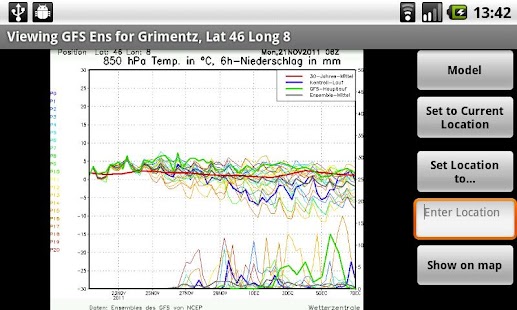
The buttons on ensembles and meteogram screens are:
"Model" - change the model being displayed.
"Set to Current Location" - set the stored location to that reported by the device's location sensors (GPS/Wifi).
"Set Location to" - set the stored location by doing a placename lookup on the name entered in the text box below.
"Show on map" - launch google maps showing the stored location.
This feature is provided to verify the placename lookup was as expected.
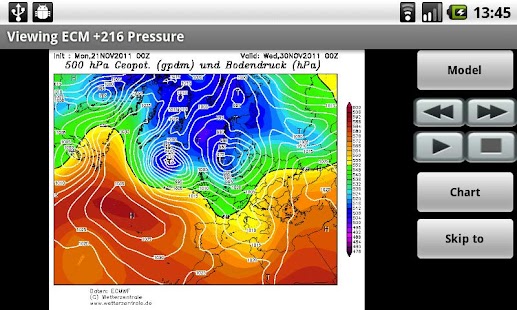
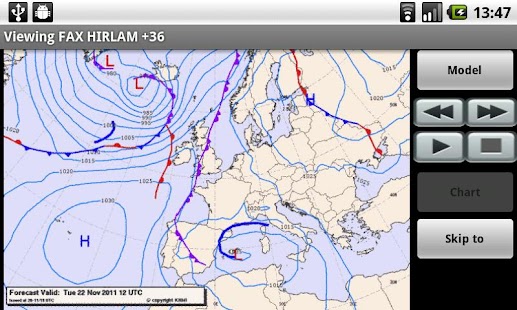
The buttons on weather map screens are:
"Model" - change the model being displayed.
"Chart" - change the chart type within the current model.
"Skip to" - go directly to a selected hour within the current chart series.
Additionally prev/next buttons navigate forward and backward through the series and play/stop buttons turn animation on and off.
Future development:
Zoom controls on displayed charts.
About Weather Models
- Package name (App ID)
- appinventor.ai_brianbalerno.WeatherModels
- Available on
- Google Play
- Price
- Free
- Version
- v1.1
- Developer
- MeteoGroup
Looking for the Weather Models APK?
The safest way to get Weather Models (appinventor.ai_brianbalerno.WeatherModels) on your Android device is to install it directly from Google Play — you'll always get the latest official version, automatic updates, and no risk of modified or infected APK files from third-party sites.
Gaming Features
Enjoy immersive gaming experience with various game modes.
Weather Features
Get accurate weather forecasts and real-time updates.
Fitness Tracking
Track your workouts and monitor your health metrics.
See Weather Models in Action
Frequently Asked Questions
Is Weather Models free?
Yes, Weather Models is free to download and install on Android through Google Play.
How do I install Weather Models on Android?
Open Google Play on your Android phone or tablet, search for Weather Models by MeteoGroup or tap the Google Play button on this page, then tap Install. The app downloads and installs automatically.
What is appinventor.ai_brianbalerno.WeatherModels?
appinventor.ai_brianbalerno.WeatherModels is the App ID (package name) of Weather Models on Google Play. Every Android app has a unique package name, and it is the safest way to verify you are installing the official app.
Is Weather Models safe to download?
Installing Weather Models from Google Play is the safest option: you get the official version published by MeteoGroup, verified by Google Play Protect, with automatic updates. Avoid APK files from unofficial third-party sites.
Get Weather Models Today
Weather Models for Android — free download on Google Play.
Compatible with Android phones and tablets — available on Google Play.
Ask AI about this app
Get instant answers about features, tips and more from popular AI assistants.